Direct a sophisticated draft with one prompt
Turn a creative brief, a page map and evidence rules into one precise generation request.
Write the request as a creative brief#
A sophisticated presentation begins with decisions about the conversation: what the audience needs to understand, which evidence supports it, how the pages relate, and what each interaction reveals. A list of effects leaves those decisions to the generator.
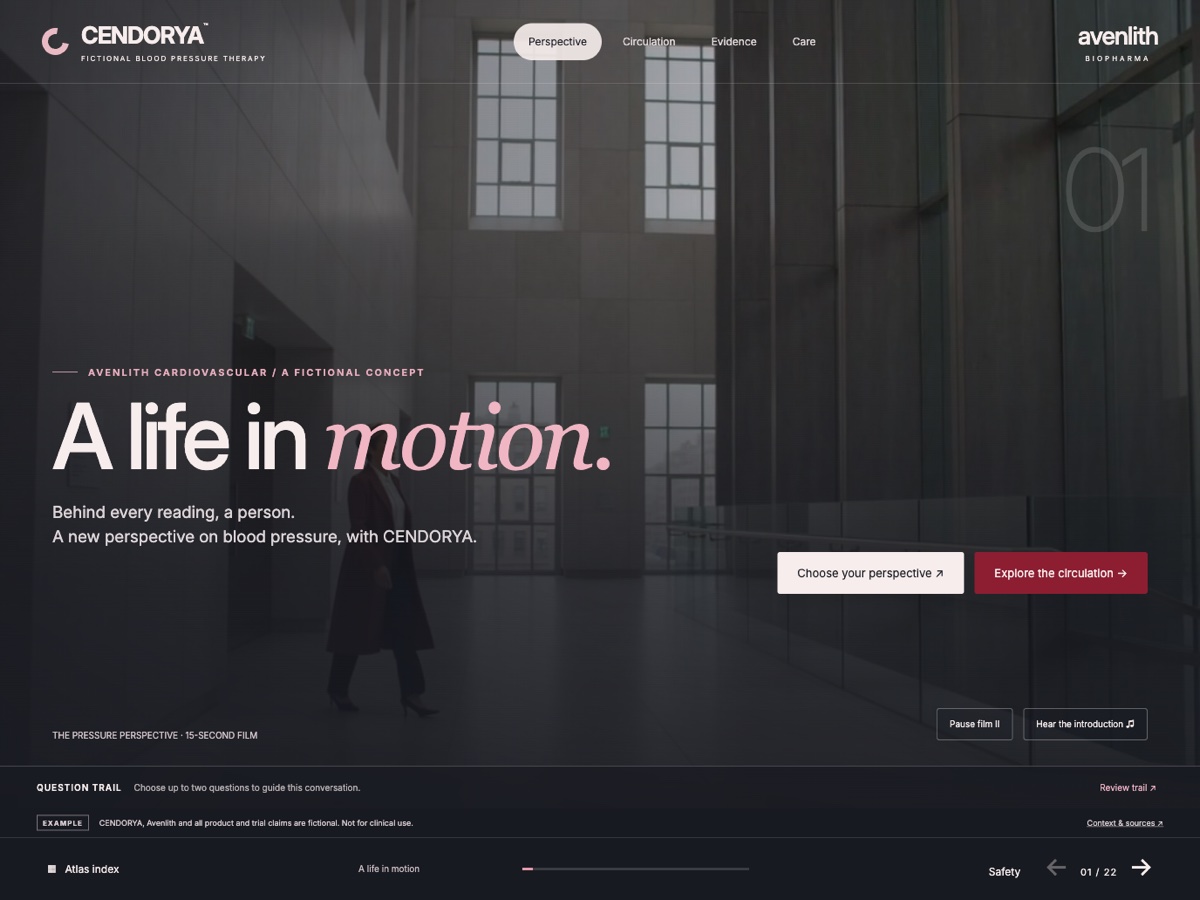
Use the fictional CENDORYA example as a design reference: patient context, an explorable mechanism, evidence that can be inspected in more than one form, and a deliberate recap. The live showcase is a finished design demonstration. This recipe starts a new editable draft; it is not a record of how the showcase was produced.
Prepare a reviewed source pack and separate the brief into Facts to preserve, Design direction and Behavior to create. For a fictional training exercise, label the brand, people and every invented value as fictional.
Prepare the inputs that make one prompt useful#
- Open Create, choose AI and set the Project details: name, brand, market, audience, language and intended channel where relevant.
- Use Attach files to add cleared reference material. Review its upload and evidence state; a selected file is not automatically reviewed evidence.
- Write a page map with a purpose for every slide: opening question, context, mechanism, evidence overview, evidence detail, discussion and recap.
- Identify the fixed values, units, citations, qualifying wording and required shared context. Explain what to do with missing information.
- Paste the complete brief into Content request. Submit using the displayed action once, then inspect the retained result.
If the creation action is Save draft, Studio is retaining the request rather than confirming a generated presentation. Follow the state shown in your workspace.
Specify the story, the art direction and the behavior#
Adapt this recipe with your own reviewed sources. Use the CENDORYA walkthrough for the full example and downloadable starting material.
Create an editable seven-slide CLM draft for a fictional Avenlith Biopharma training conversation about CENDORYA. Use only the attached fictional source pack. Mark the brand and people as fictional and the data as simulated.

Audience: an internal creative team evaluating an evidence-led story. Move from a human question to the mechanism, let the viewer inspect the evidence, then finish with a useful recap.

Page map: 1 opening question; 2 context; 3 simplified mechanism with three labeled areas to explore; 4 evidence overview; 5 the same evidence as a chart and a table; 6 overview and evidence discussion routes; 7 recap separating topics discussed from questions still open.

Art direction: charcoal, pearl and restrained crimson, generous space, editorial typography and one dominant focal point per page. Vary the rhythm: image-led opening, diagram, evidence layout and quiet recap. Keep navigation and sources in predictable positions.

Behavior: reveal useful detail through labeled controls. Include an obvious return from every detail view. Keep the essential message readable before interaction. Provide a still or text alternative for meaningful motion.

Preserve every supplied value, endpoint, population, timepoint, unit, citation and qualification. Do not invent missing information. Identify requested behavior that could not be represented. Deliver a reviewable draft.
For a real project, replace the fictional exercise with cleared content and the correct audience and market. Keep the exact-value and missing-information rules.
Review structure, facts and behavior separately#
Inspect the story at thumbnail scale first. Can you identify the role of each page without reading every sentence? Seven identical layouts usually need a clearer page map, not more decoration.
Next inspect the evidence at reading scale. Compare chart and table with the source; check every denominator, unit, timepoint and qualifier. Then build and inspect the available interactive proposal. Follow each control, return and ending. A complete-looking slide does not establish that its interaction works.
Use Generated proposals or the authored-draft review to compare the actual candidate. Accept after review, reopen the saved project and confirm the saved revision.
Refine the design while keeping the evidence fixed#
In Builder, open Options, select This page or Selected elements, and choose Style request · preserve data for a design refinement.
On this evidence page, make the endpoint the primary visual focus. Move the explanation beneath the chart, align the footnotes with the plot edge and reduce competing decoration. Preserve every value, label, citation, unit and qualifier. Keep the chart and table connected to the same evidence.
Inspect the proposed changes even with a preservation request. For wording, use Text request · preserve data and name the passages that may change. Use Design variants to compare compositions of the same saved content.
Turn the draft into a considered presentation#
One prompt can carry the complete creative direction. Factual checking, layout refinement, source inspection, accessibility, interaction rehearsal and delivery review remain distinct author tasks.
Use Update a slide with AI for precise refinement and Review and handoff before delivery. Preparing a package is separate from upload, approval, distribution and device qualification in Veeva CRM, Veeva Vault CRM or PromoMats.