Build evidence views that invite closer inspection
Present the same evidence at several useful depths while preserving its scientific context.
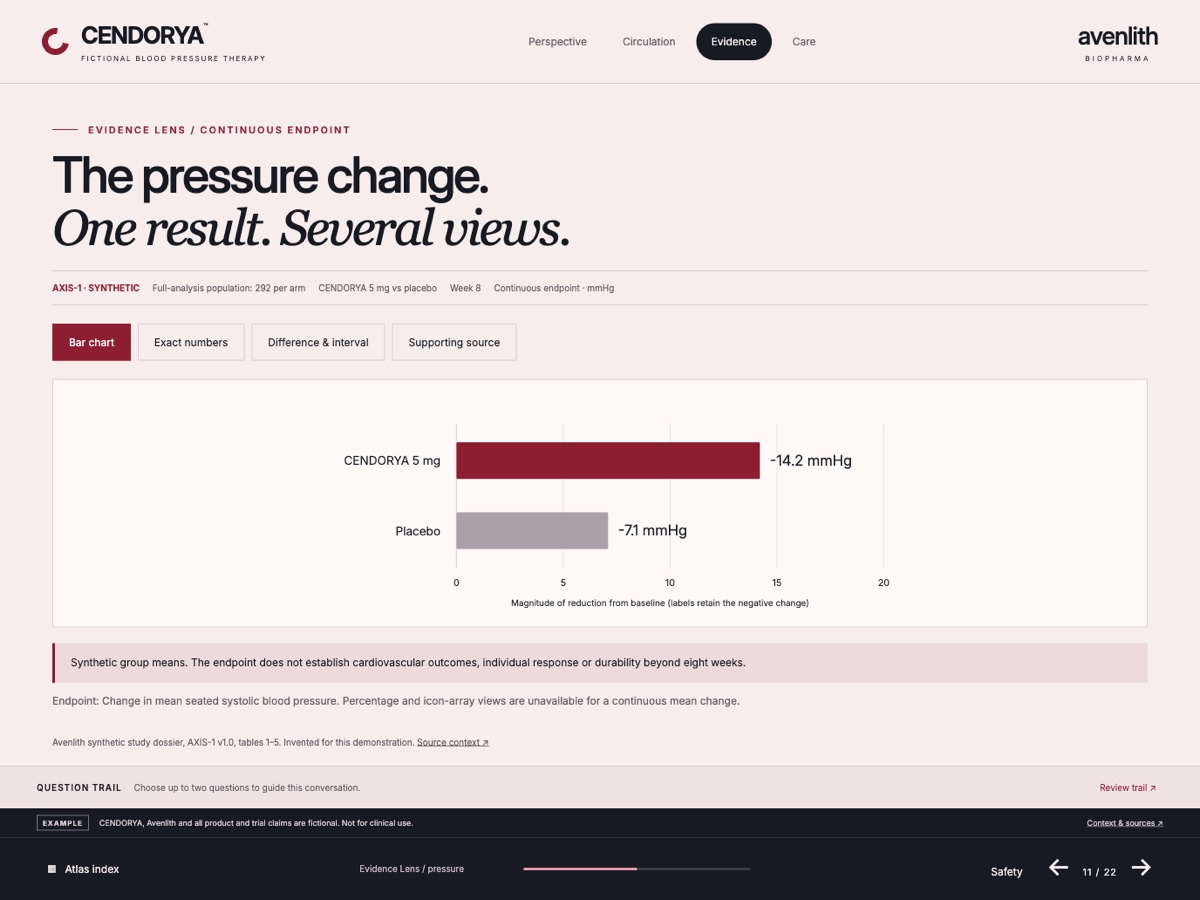
Start with the evidence question#
Choose the question before the chart. A comparison needs comparable groups; change over time needs supplied observation points; a distribution needs actual spread. Exact-value lookup may work better as a table.
The fictional CENDORYA Evidence Lens demonstrates different ways to inspect a supplied synthetic dataset. The useful principle is consistency: every view should explain the same evidence with the same endpoint, population, units and timepoint.
Write a job for the page, such as “Let the viewer inspect the supplied group comparison and its source.” Keep the headline within what the material supports.
Design the evidence as a complete unit#
Give the page a predictable reading order: question or bounded headline, main visual, plain-language interpretation and supporting context. Keep the relevant qualification close enough to be read with the claim.
| Element | What to preserve |
|---|---|
| Endpoint | What was measured and how it was defined. |
| Population and groups | Who or what is described, including supplied denominators. |
| Timepoint and units | When the observation was made and its scale. |
| Uncertainty | Supplied intervals, ranges, reference values and limitations. |
| Source and qualification | The citation and wording needed to interpret the visual. |
For Avenlith practice material, place Fictional training example · Simulated data beside the chart and detailed table. An opening-page label does not travel with a later screenshot.
Author a chart and its inspection table#
- In Edit, select a compatible managed CLM slide and choose Chart or Table.
- Select a supported representation that fits the data. Complete required fields, including scientific context and reference information where shown.
- Use the same reviewed values for chart and table. Keep unit, group order, rounding and timepoint consistent.
- Inspect axes, labels, reference lines and intervals before saving. Reduce decoration that competes with the evidence.
- Save, reopen and verify the stored values. Inspect the available presentation preview at the intended reading size.
If a specialist chart requires information you do not have, choose a suitable simpler representation or return to the source. Do not fill a required field with a guess.
Make gaps visible instead of smoothing them away#
If the source supplies weeks 0, 2, 4 and 8 while week 12 is unknown, preserve the gap. A time control must not invent a week-12 result or interpolate a continuous trend from discrete evidence.
Keep unknown distinct from zero and from “not applicable.” Use an explanation and retain the actual observation points. When the viewer changes subgroup or timepoint, label the active state so a screenshot remains interpretable.
Use only the supplied observation points. Keep missing values unknown, distinct from zero. Do not interpolate, extrapolate or manufacture an endpoint. Label the active timepoint in every evidence view. Preserve the source context and simulated-data notice.
Improve hierarchy while holding the evidence fixed#
In Builder, use Options to select This page or Selected elements. Choose Style request · preserve data for presentation changes.
Make the group comparison easier to inspect. Use one consistent emphasis color, increase space around the plot, align the units and place source context below it. Keep every value, group label, interval, unit, timepoint, citation and qualification unchanged. Preserve the same dataset in chart and table views.
Compare the proposal and inspect the saved chart. Under Undo / history, use Show changes to inspect recorded data and chart-setting differences where available. A preservation instruction still needs verification.
Inspect the page as the audience will use it#
Read without opening detail: the essential message and qualification should make sense. Then open each supported evidence view and compare values, units, active labels and sources. Check the return action and use the table to verify exact values.
Inspect the smallest citation and longest label at actual presentation size. Carry meaning through labels and position as well as color. Give essential visuals and motion a useful text or still alternative.
After a source change, repeat the review across related views. A new chart can still sit beside an old headline, table or footnote.