The next chapter.
More expressive stories. More connected workflows. A clearer path from an idea to a conversation. Explore what we’re building next for CLM Studio.
More room for
your imagination.
From richer creative control to a more connected handoff. Here’s where the studio is heading.
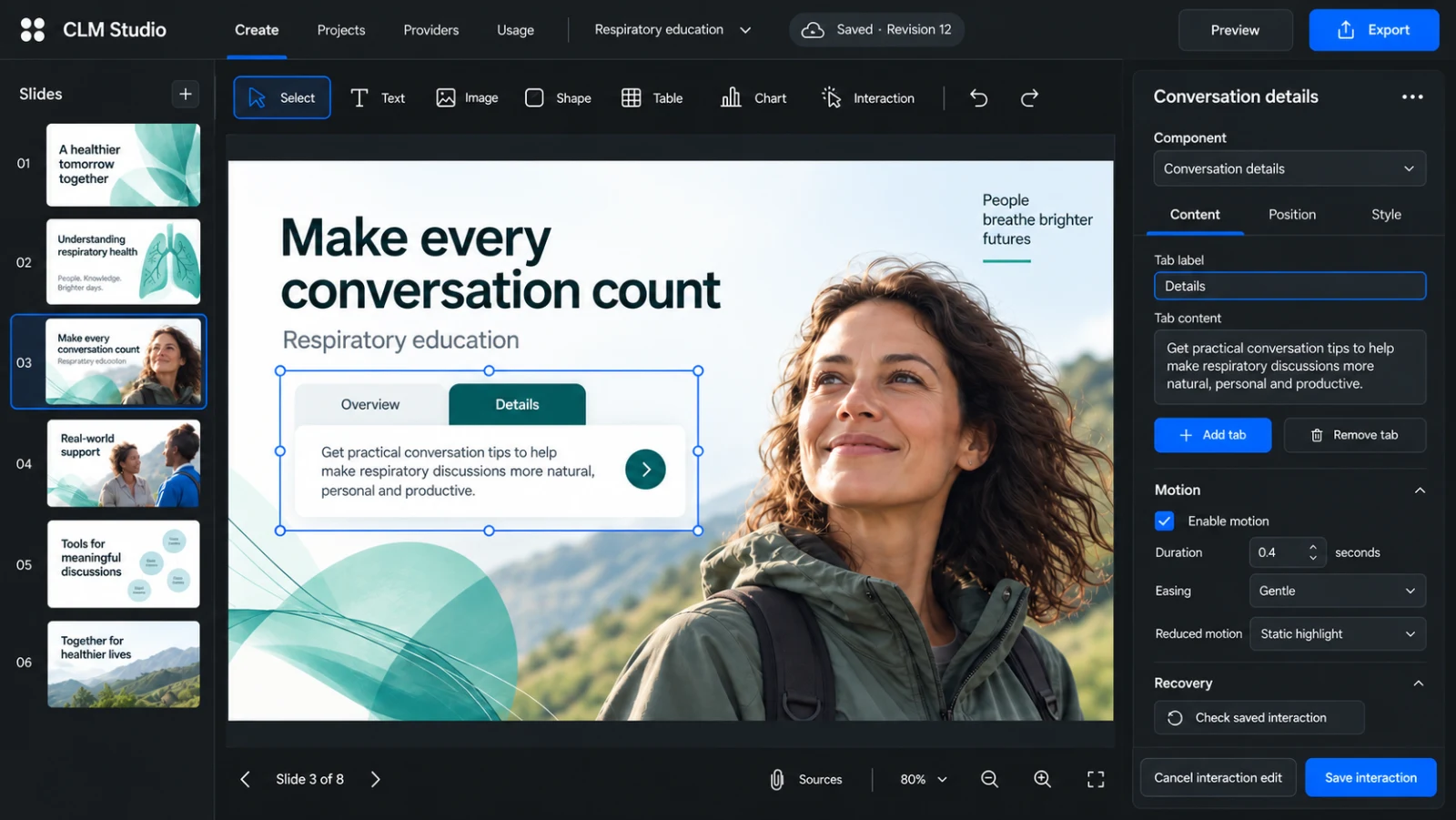
The whole picture.
473 unfinished backlog items. Filter by category, upvote an idea and add your perspective.
In progress
Actively taking shape across the product.
Presentations that greet the personBring personalized greetings, relevant discussion paths and thoughtful fallbacks into one reusable presentation.
The next step is a coherent experience from authoring through the intended Vault CRM client: permitted context, consistent personalized fields, predictable default routes and a recap that reflects the actual discussion. Sample profiles support authoring; connection and client validation remain part of the native delivery work.
What this brings to your work
- Author a greeting once, with a readable fallback when a name or practice is unavailable.
- Preview sample profiles across pages, thumbnails and presentation playback.
- Connect specialty defaults, explicit topic choices and the session recap.
Your own 3D models, inside the storyMove from inspecting an imported model to placing and refining it as an editable part of a slide.
This work connects model import, scene editing, save and reopen, and compiled presentation preview. The aim is to preserve the admitted geometry and supported materials rather than substitute an illustration. Meaningful model regions and accessible alternatives are part of the broader interactive 3D direction.
What this brings to your work
- Place a supported model from the library into a saved scene.
- Refine framing, transforms and supported appearance without replacing the original.
- Keep the model and its supporting resources with the presentation.
More control over picture and soundRefine media placement, playback and text alternatives while keeping target-device behavior in view.
The focus is the complete authoring-to-delivery workflow: saved crop and playback choices, accessible alternatives, and media that travels with the chosen output. Existing media controls provide a foundation; broader editing, portability and target acceptance are being completed together.
What this brings to your work
- Work with reusable video and audio clips, posters and supported trimming.
- Keep editable narration scripts, captions and transcripts close to the media.
- Understand size and playback constraints before the handoff.
A richer language for scientific dataExtend data storytelling with specialist charts and controlled, reviewable interactive calculations.
Specialist components build on explicit source data and declared formulas. Chart types require their necessary inputs, including uncertainty or censoring where relevant. Calculators retain an intended use and testable behavior, with deployment tied to the supported target and the author’s review process.
What this brings to your work
- Present supplied confidence intervals, forest plots and survival-style curves.
- Make formulas, units, ranges and rounding visible to reviewers.
- Handle missing data and invalid inputs explicitly.
A more confident CLM handoffCarry the saved presentation, its interactions and media into a target-specific package with a clear record of what has been checked.
We’re connecting preview and packaging more closely and extending native mapping for personalized presentation paths. The workflow keeps browser review separate from playback on a named CRM client and device. Package preparation remains distinct from upload, medical approval and distribution.
What this brings to your work
- See the exact revision, target and requirements behind a package.
- Preserve authored routes, fallback states and local media.
- Distinguish preparation, download and actual client acceptance.
Up next
The next set of problems we want to solve.
A reusable toolkit for interactive storiesBrowse a visual catalog, try an example, and insert an editable building block that fits your presentation.
The collection brings a visual catalog and 20 reusable component types into a connected authoring experience. Starter scope covers the catalog and thirteen component stories; seven further component stories form the Expansion wave. Components should adopt brand styling, expose editable controls and retain their saved versions, with accessible interactions and suitable fallbacks for supported targets.
What this brings to your work
- Start with evidence and metric cards, image comparisons, 2D hotspots, accordions and comparison matrices.
- Build explanations with timelines, reveal cards, glossaries and guided steps; add checklists, polls and curated galleries.
- Explore later expansion into study flows, schedules, ranking, detailed-image inspection, 360-degree sequences and media chapters.
Follow a statement back to its sourceInspect the source material behind a selected text or data object without adding clutter to the slide.
The aim is a more direct connection between the story and its supporting material. When an author changes a statement, Studio should help them reassess its relationship to the original evidence rather than silently imply that an old reference supports new wording.
What this brings to your work
- Open the linked source and location from the object being reviewed.
- Keep evidence relationships visible as wording changes.
- Retain source links in authoring and handoff metadata.
Find delivery problems where they happenTurn broken links, missing assets and unsupported behavior into specific, fixable findings before export.
Preflight should give authors useful technical guidance while leaving the presentation itself intact. Checks will focus on package function and target behavior, helping teams resolve actual delivery issues without treating unrelated suggestions as export failures.
What this brings to your work
- Locate the affected slide or object from the finding.
- Understand the repair needed for the selected target.
- Rerun checks after making a change.
Exploring
Ideas we’re learning about and shaping.
Bring eligible content into reachConnect permitted Veeva content and reusable modules to the authoring workflow.
This direction starts with a customer sandbox and explicit content access, then builds toward useful search and controlled reuse. A new composition remains a draft even when it contains approved source assets. Connection, synchronization and external review are separate steps in this longer-term workflow.
What this brings to your work
- Find content within the right brand, market, language and access scope.
- See exact versions and how recently sources were synchronized.
- Reuse editable modules with their references and required accompanying content.
Give existing decks a new starting pointBring supported PowerPoint content into Studio while making conversion differences easy to inspect.
The goal is a useful, recoverable starting point for existing work. Conversion should report its supported subset and fidelity differences per slide, so authors can choose what to refine rather than assume every source element was reproduced as a native editable object.
What this brings to your work
- Import a defined set of text, images, shapes, order and basic tables.
- See which elements remain editable and which are preserved as images.
- Compare against the retained source rendering.
Adapt the story for every marketConnect local wording, layout adaptation and narration into a reviewable localization workflow.
Local drafts should preserve meaning and evidence while giving each market its own review. The direction includes side-by-side terminology decisions and timing adjustments that do not silently remove scientific qualifiers. Generated translations remain drafts for the team to assess.
What this brings to your work
- Prefer eligible local wording and compare changes against the source.
- Check text expansion, reading direction, glyphs and number formatting.
- Explore translated narration and captions with controlled terminology.
Shape the science into a visual sequenceDevelop source-linked mechanism storyboards and editable scenes for specialist creative teams.
This direction brings medical writing and scientific animation closer together. Proposed visual metaphors should stay distinct from source-supported statements, and illustrative motion parameters should not imply measured biological quantities. Specialist review remains central to the resulting story.
What this brings to your work
- Plan visual beats with their message, narration and supporting source location.
- Refine labels, cameras, paths and timing in an editable scene.
- Keep scientific questions and illustrative choices visible for review.
This roadmap shares our direction, not a delivery commitment. Scope, order and availability may change as we learn. Features shown here should not be assumed available in your workspace.
What would make
your work better?
Your projects and questions help shape what comes next.